
Verily Me
Verily Health Inc.Medical
4.4115.00 Reviews
- Version
- 3.11.9
- Installs
- 100.00K
- Age Rating
- Mature 17+
Screenshots
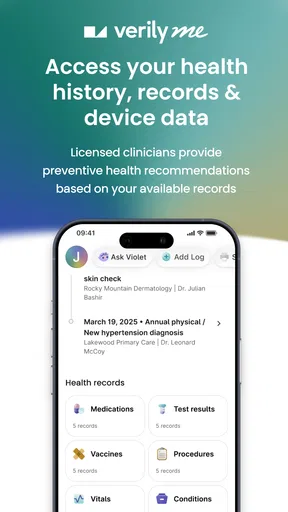
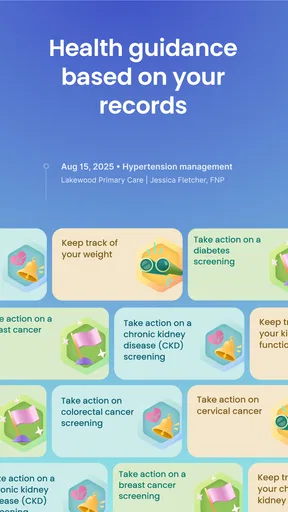
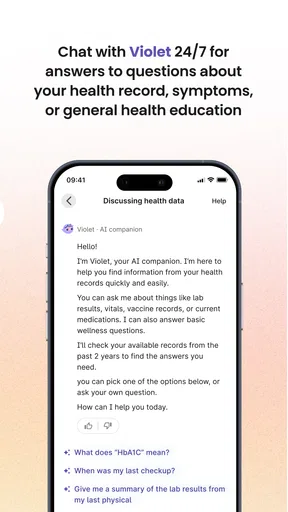
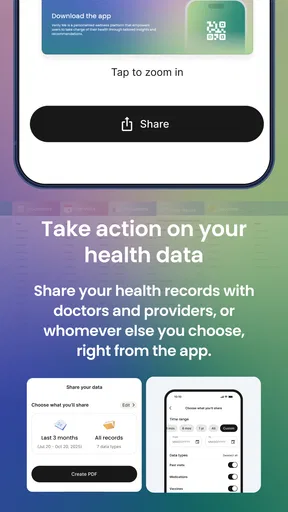
Our Review of Verily Me
 Analysis by Appyee
I approached Verily Me as a health app for real life rather than as another place to collect disconnected wellness reminders. Developed by Verily Health Inc., it is designed around the idea of bringing health information into one app, which makes it especially interesting in a household where people may need to coordinate care without sharing every personal detail. My overall impression is positive, but with an important boundary: this is a personal medical companion, not a substitute for a clinician, emergency service, or carefully managed family health record.
The app is free, belongs to the medical category, and carries a Mature 17+ content rating. That combination tells me who should be making the decisions around it: adults who are comfortable handling sensitive health information directly. I would not treat it as a casual shared tablet app for children, even if several people use the same device. The useful question is not simply whether a household can open it together, but whether each person can maintain a clear and private account boundary.
How Verily Me fits into a shared household
A realistic example would be a couple managing different health routines while using one tablet in the kitchen. One person might open the app to review their own information before a medical appointment, while the other uses it later to check something relevant to their own care. That arrangement can work when each person signs in separately and remembers that the device itself is not the same thing as a shared health profile.
That distinction is easy to overlook. A shared screen can make a health app feel communal, but the information inside it may be highly personal. I would avoid leaving the app open, handing an unlocked device to another household member, or assuming that a partner should automatically see everything. The app can help people coordinate practical tasks, but coordination should happen by deliberate conversation rather than by casually exposing a private dashboard.
In my experience, the strongest household use is indirect. I can imagine using the app to prepare questions for a doctor, remember what needs discussing, or help a trusted person understand what kind of appointment is coming up. I would still decide exactly what to share before showing the screen. A useful workflow is to review information alone first, write down the points that genuinely require help, and then discuss only those points with the other person.
This makes Verily Me more suitable for individual health organization within a household than for a single communal account. If your main goal is a family calendar, a shared medication checklist, or a caregiver dashboard, a purpose-built coordination tool may be a better match. Here, the value is centered on the individual user’s health experience, even when that user lives with other people.
Starting with the right account boundary
Setup deserves more thought than the simple act of installing an app. Before entering anything, I would decide whose account is being created and which email address or sign-in method belongs to that person. On a shared device, this small step prevents a surprisingly common problem: one household member begins setup, another later assumes the information belongs to everyone, and the app becomes difficult to interpret.
I would also give each person a clear moment to review the app privately. Health information is not like a shared shopping list. Even close relatives may have different comfort levels about symptoms, appointments, or personal history. Verily Me should be treated as a personal space first, with sharing handled manually and thoughtfully.
The current version is 3.8.21, and the app requires Android 8.0 or later. That is useful to know before planning a household rollout, especially if one person uses an older phone or tablet. I would check the device before promising that everyone can use the same setup. A household with mixed devices may end up using the app on only the newer ones, which can make shared routines less convenient.
The app has passed the early-adoption stage without becoming obscure: it has over one hundred thousand installs and a 4.5 average from around seven hundred ratings. Those figures suggest that people are finding it usable, but they do not remove the need to test the workflow against your own household. A medical app can be well received overall and still feel unsuitable if its organization does not match the way you manage care.
One practical tip is to establish a simple “open, use, close” habit. Open the correct account, complete the task, then leave the app and lock the device. I would not rely on memory alone when several people share a screen. This is less about distrust between family members and more about avoiding accidental exposure when someone else picks up the phone to do something unrelated.
Coordinating without turning private information into family property
Verily Me can be useful when coordination starts with a specific purpose. For example, a person preparing for an appointment may want a partner to help remember questions or notice which details need clarification. The partner does not necessarily need unrestricted access to the entire health profile. I prefer a “minimum necessary” approach: share the detail that supports the task, then keep the rest private.
This is also where the app’s one-place approach can be helpful. Instead of searching through several disconnected notes, messages, and paper reminders, I can begin with the health information collected in one dedicated place. That does not guarantee that every household member will understand it immediately, so I would still translate the information into plain questions before a family discussion or appointment.
A good coordination routine might look like this:
- Before an appointment: review your own information and note the points you want to raise.
- During household planning: tell the trusted person what practical help you need, rather than handing over the entire device.
- Afterward: return to the app privately and record or review what matters to you.
This approach avoids a common mistake: confusing access with support. A family member can help with transport, reminders, or questions without becoming the owner of someone else’s medical information. For me, that is the most responsible way to use a personal medical app around other people.
I would be cautious with shared-device notifications as well. Even when the app itself is private, a notification appearing on a lock screen can reveal more than intended. I would review the device’s notification behavior and use a private device when the subject is especially sensitive. That is a general device habit rather than a claim about a particular Verily Me setting, but it matters because privacy depends on the whole phone, not only the app.
Age, trust, and the limits of casual access
The Mature 17+ rating is an important part of the decision. I would not install Verily Me on a child’s profile simply because the child is curious about health information, and I would not assume that a teenager’s account should be supervised by casually reading it. Families need a direct conversation about who is using the app, whose information is being entered, and when an adult should be involved.
For an adult household member who needs support, trust should still be specific. Perhaps one person helps with appointments, while another helps understand instructions. Those roles do not automatically require the same level of access. I would agree on the purpose of assistance in advance and avoid leaving the app open as a standing invitation to browse.
The app is also not the right place to settle urgent medical uncertainty. If someone is experiencing a serious or rapidly worsening symptom, I would contact the appropriate medical service rather than spending time organizing information in an app. Verily Me may help someone prepare for a conversation with a professional, but it should not become the decision-maker in a crisis.
That limitation affects how I judge the app. I like it more as a calm, organized starting point than as an authority. The “one app” concept is convenient when it reduces scattered personal health tasks, but convenience can encourage overconfidence. I would always treat the information as something to understand and discuss, not as a diagnosis or a replacement for professional care.
Where it beats ordinary notes, and where it does not
The usual alternative is a mixture of phone notes, screenshots, paper folders, calendar entries, and messages to a partner. That method is flexible, but it quickly becomes messy. Notes may lack context, screenshots can be hard to find, and messages mix health details with unrelated conversation. Verily Me has a clear advantage when I want a dedicated place to begin reviewing my health information.
It is also more focused than a generic wellness tracker. A general fitness app may be better for exercise goals, while a calendar may be better for household scheduling. I would not replace those tools automatically. Instead, I would use Verily Me for the health-centered part of my personal routine and keep ordinary planning tools for chores, transport, and shared appointments.
Paper still has one advantage: it is easy to hand a printed page to a clinician or trusted helper without giving access to a whole account. A notes app can also be faster for a one-off thought. My preference would be to use Verily Me as the organized source and create a short, intentional summary when another person needs to act. That gives me structure without turning the entire health record into a shared household document.
Another trade-off is simplicity versus control. A single app can reduce fragmentation, but it also concentrates attention in one place. If you dislike managing personal accounts, reviewing health information, or maintaining careful device habits, the app may feel like another responsibility rather than a relief. For someone who already has a trusted clinical portal that handles their needs, Verily Me may be less useful than the portal’s direct connection to their care team.
Small habits that make the experience more useful
My first recommendation is to use the app with a question in mind. Instead of opening it and browsing without a goal, decide whether you are preparing for an appointment, checking your own information, or planning a conversation with someone you trust. This keeps a broad health app from becoming a passive archive that you rarely understand.
Second, separate personal review from household discussion. I would look through the app alone, identify what is relevant, and only then invite another person into the conversation. This is especially valuable on a shared tablet, where the physical device can create a false sense that the information is communal.
Third, keep a short external appointment note containing only the questions you want answered. That note can be easier to use in a consultation than repeatedly navigating a full health profile. After the appointment, I would return to Verily Me for personal follow-up rather than leaving important details scattered across text messages.
Finally, make an exit routine part of use. Close the app, lock the device, and avoid discussing sensitive information in front of people who do not need to hear it. These steps sound ordinary, but they are the difference between a personal health tool and an accidentally public screen in a busy home.
My household verdict
After looking at Verily Me through the lens of shared-device use, I see a focused role for it. It is a free medical app from Verily Health Inc. that can give an adult a more deliberate place to engage with personal health information than scattered notes and conversations. Its 100K+ install base and strong average rating make it worth considering, while the 17+ age context reinforces the need for mature, private use.
I would recommend it to an adult who wants one health-oriented starting point and is willing to keep account boundaries clear. It can also help a household coordinate when one person needs practical support, provided that support is based on selected information rather than open-ended access. The best experience comes from using it intentionally: review privately, share selectively, and involve a clinician when interpretation or treatment decisions are needed.
I would skip it if you mainly want a family organizer, a child-friendly health app, an emergency tool, or a replacement for a clinical portal. I would also choose another option if your household cannot keep personal accounts and devices separate enough to protect privacy. In those situations, the app’s central promise becomes less important than the surrounding habits.
For the right adult user, though, Verily Me is a sensible companion rather than a flashy distraction. I like its potential to bring order to personal health management, and I appreciate that its household value comes from better coordination—not from assuming that everyone should see everything. That is the boundary I would keep in place, and it is the main reason I would recommend trying it carefully rather than treating it as a communal family dashboard.
Privacy and Permissions
See what permissions an app requests and how it handles your data.
- Location
- approximate location (network-based), precise location (GPS and network-based)
- Photos/Media/Files
- read the contents of your USB storage, modify or delete the contents of your USB storage
- Storage
- read the contents of your USB storage, modify or delete the contents of your USB storage
- Camera
- take pictures and videos
- Microphone
- record audio
- Wi-Fi connection information
- view Wi-Fi connections
- Other
- view network connections, pair with Bluetooth devices, access Bluetooth settings, full network access, control Near Field Communication, run at startup, control vibration, prevent device from sleeping
Verdict
Strengths of Verily Me
- Simple interface makes daily use easy for newcomers.
- Profiles can help users discover people with similar interests.
- Useful for expressing personality beyond basic profile details.
- Social features encourage interaction and community participation.
- Available on mobile devices for convenient access on the go.
Limitations of Verily Me
- The user base may be smaller than on major social platforms.
- Some features may require creating an account or sharing personal data.
- Privacy settings should be reviewed carefully before using the app.
- Activity and response quality can depend on your local community.
- Occasional bugs or performance issues may affect the experience.
Similar Picks in This Category
View All
WebMD: Symptom Checker
WebMD, LLC4.1

Microphone Amplifier
DOSA Apps4.2

Anatomy Learning - 3D Anatomy
3D Medical OU4.5

Period Tracker and Calendar
SimpleInnovation4.9

GoodRx: Prescription Coupons
GoodRx4.8

CVS Health
CVS Pharmacy4.5
Frequently Asked Questions
What is Verily Me and what can I use it for?
Verily Me is designed to help users present themselves online in a more personal and authentic way. Depending on the features available in your version, you can create a profile, share selected information, and connect with other people or services. Before downloading, review the app’s current description and permissions, since its exact tools and intended audience may vary between Android and iOS releases.
Is Verily Me free to download and use?
The app may be available as a free download, but some features, content, or services could require in-app purchases or a subscription. We recommend checking the store listing carefully before installing, including the pricing section and renewal terms. If you create an account, also look for any trial period conditions so you understand when charges may begin and how cancellation works.
What personal information does Verily Me collect?
Because Verily Me focuses on identity, profiles, or personal connections, it may request information such as your name, email address, profile details, photos, or other account data. The exact collection practices depend on the current privacy policy and platform version. Read the app’s privacy disclosures before signing up, and avoid sharing sensitive information unless you are comfortable with how it is stored and used.
Is Verily Me safe for meeting or interacting with other users?
Users should approach any social or identity-based application with normal online-safety precautions. Do not share passwords, financial details, private documents, or your exact location with strangers. Use available blocking, reporting, and privacy controls, and be cautious if someone pressures you to move conversations elsewhere. Verily Me’s safety tools and moderation policies should be checked in the app before you begin interacting.
What devices are compatible with Verily Me, and does it require an account?
Compatibility depends on the version published for Android or iOS, so check the official store page for the required operating-system version and available storage. Some functions may also require an internet connection, notifications, camera access, or location permissions. An account may be necessary to use core features, while certain information could be viewable without registration; this can change with future updates.
